Mesh Terrain
- Errant Paths 1.2 and later
- Errant Paths 1.1 and prior
Mesh Terrain is an alternative terrain system that uses meshes instead of Landscapes. Errant Paths supports Mesh Terrain through the same Landscape Adjustment workflow used for Landscapes, allowing Paths to carve and shape Mesh Terrain using the same adjustment settings, Path Adjustments, widening/narrowing features and more. As a result, the same Path can drive both Landscape and Mesh Terrain without requiring a separate setup.
Setup
There is no Mesh Terrain-specific workflow. Configure Mesh Terrain Adjustment exactly as described in affecting landscape height. For weightmaps follow affecting weightmaps and Unreal's documentation
Make sure to set high enough Mega Mesh resolution to avoid low terrain details, but low enough to avoid Editor hitches after adjustment (due to updating preview sections).
Height and Influence Detail textures are not supported in the Mesh Terrain.
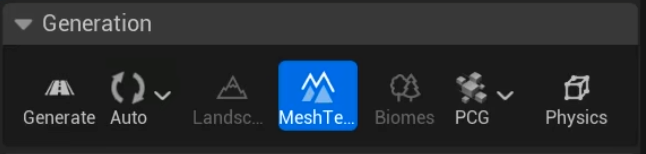
Mesh Terrain adjustment toggle
To enable Mesh Terrain adjustment, click the toggle in the Errant Paths Editor mode:
Remove Mesh Terrain dependency
We include Unreal Engine's Mesh Terrain plugins as dependency to ensure Errant Paths builds correctly out of the box. If your project doesn't use the Mesh Terrain plugin, and you prefer to avoid this dependency, you can remove it by following the instructions below. Errant Paths will continue to build and function correctly, with only the Mesh Terrain integration features disabled.
- Delete /Source/ErrantPathsEditor_UE5_8 folder and move content of Source/ErrantPathsEditor_PreUE5_8 to _Source/ErrantPathsEditor.
- Remove MeshPartition from the Plugins in ErrantPaths.uplugin.
- Remove MeshPartition and MeshPartitionEditor from ErrantPathsRuntime.Build.cs and ErrantPathsEditor.Build.cs.
The feature is not supported in Errant Paths 1.1 and prior.