Widening/Narrowing
- Errant Paths 1.2 and later
- Errant Paths 1.1 and prior
A Path can be widened or narrowed by scaling its PathSpline points. Components can optionally react to this additional scale, allowing them to maintain their relative position or grow and shrink together with the Path.
Landscape and terrain adjustments also support widening and narrowing. Their generated adjustment splines automatically match the Path's width, ensuring terrain modifications stay aligned with the generated Path.
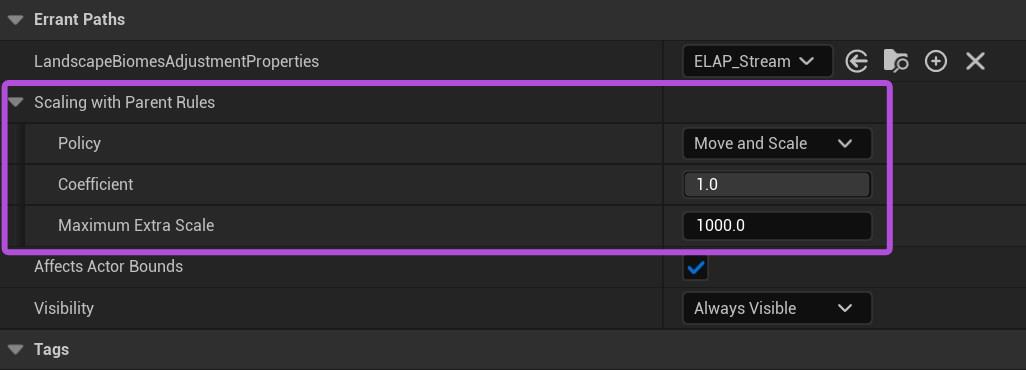
- Policy
- Fixed – The component keeps the Blueprint transform and ignores the Path's widening or narrowing.
- Move, Don't Scale – The component moves to preserve its relative position as the Path widens or narrows, but its own size remains unchanged.
- Move and Scale – The component moves to preserve its relative position and is also enlarged or shrunk, as the Path widens or narrows.
- Coefficient determines how strongly the Path's widening or narrowing affects the component. 0.0 – Ignore the widening or narrowing. 1.0 – Fully follow the widening or narrowing.
- Maximum Extra Scale limits how much the component can be enlarged or shrunk as the Path widens or narrows.
tip
Use Path Adjustments to procedurally control PathSpline width.
The feature is not supported in Errant Paths 1.1 and prior.