Landscape Maximum Height
When placing brushes you might reach the landscape's height limit (maximum heightmap value it can store).
To fix that you need to increase the landscape's vertical scale while maintaining the brushes' height.
This can be done manually by increasing the landscape Z Scale while decreasing the brushes' Z Scale by the same amount.
It's better however to use our tool that automates this process.
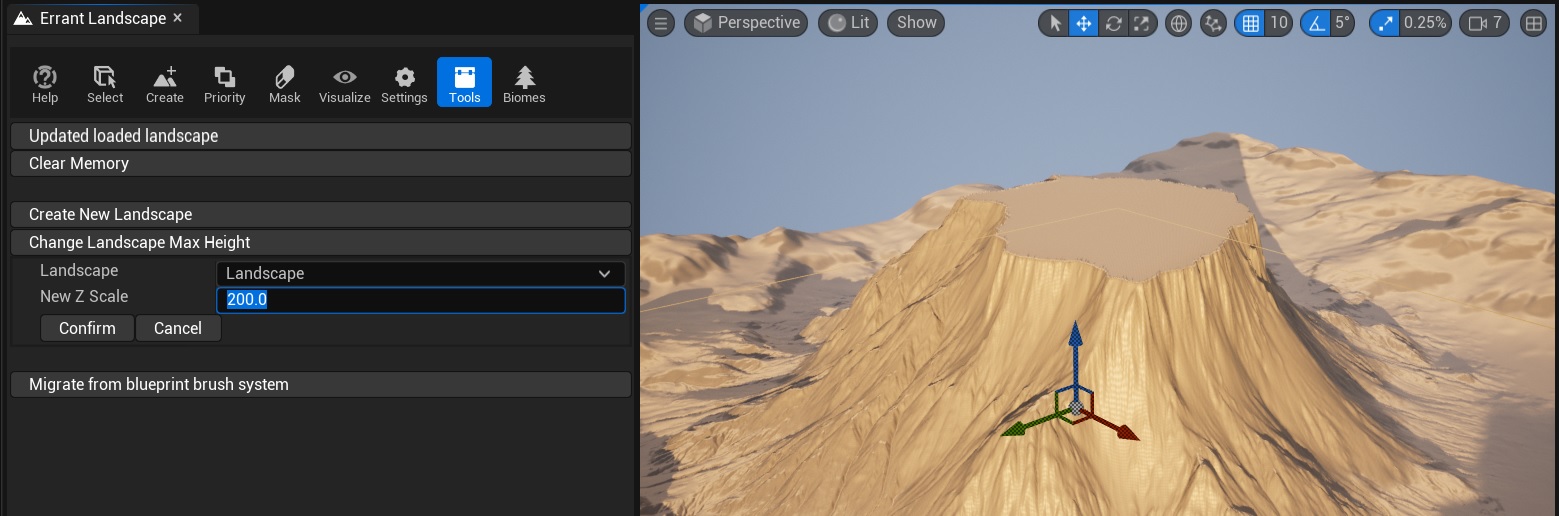
To use the tool, open Errant Landscape mode:
- Click the
Toolstab. - Click the
Change Landscape Max Heightbutton. - Choose whether you want to change a single landscape or all landscapes owned by a layer.
- Select the
LandscapeorLayeryou want to adjust. - Enter the new landscape
Z Scalein theNew Z Scalefield. - Click
Confirm.
When using the multiple-landscape mode, all landscapes in the selected layer must already have the same Z Scale.
If they use different values, the tool will show a warning and disable confirmation.
To avoid destructive behaviour this tool affects only Errant Landscape Brush Actors and selected Landscape's Z Scale.
It does not automatically adjust scale of other objects.